

Introduction: What Happens to Your Booth Leads When the Internet Fails?
Your exhibition booth is busy. Prospects are asking questions, exchanging business cards, and exploring your products. Suddenly, the venue Wi-Fi stops working. Your team still has conversations to manage, but capturing and organizing every new inquiry becomes difficult when the lead capture process depends on connectivity.
For businesses investing in trade shows, losing connectivity can interrupt lead collection, separate notes from contact details, and delay follow-ups. The solution is not to rely on a better network alone. It is to build a workflow that continues working when the network does not.
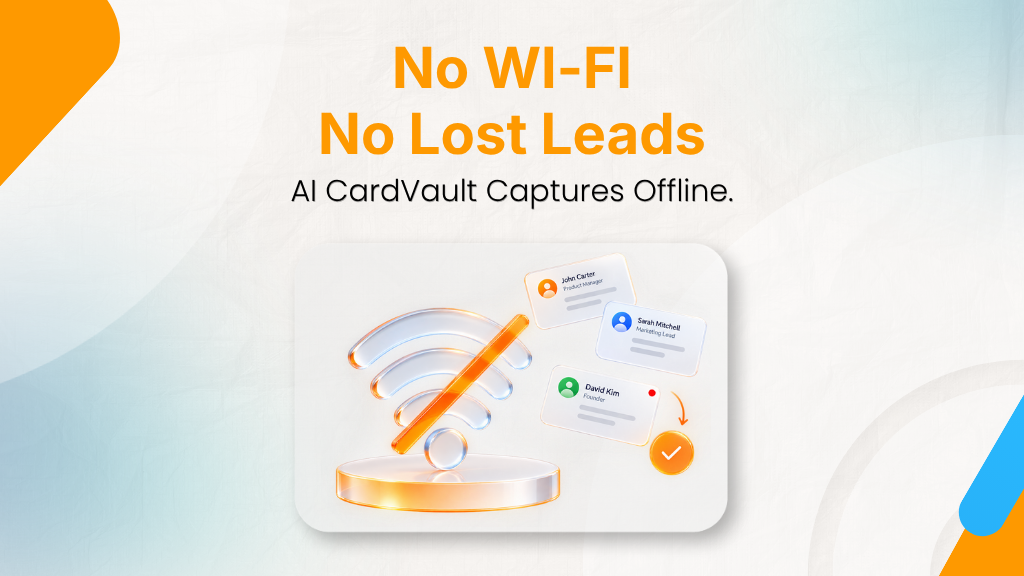
With offline lead capture, teams can continue collecting prospect information, preserve important conversation details, and synchronize captured records when connectivity returns.
Why Internet Connectivity Fails at Trade Shows and Exhibitions
Thousands of attendees, exhibitors, and devices share the same space, and that creates three common problems.
Overloaded Venue Wi-Fi
When numerous visitors connect to the same network, bandwidth constraints and congestion can affect application performance. A lead capture tool that depends on continuous communication with cloud servers may become slow or unavailable.
Weak Cellular Signals and Exhibition Hall Dead Zones
Large exhibition halls, enclosed spaces, building materials, and venue layouts can affect mobile reception. Even a phone with a strong cellular plan may struggle to maintain a reliable connection in certain areas.
Why Mobile Hotspots Are Not Always Reliable
A mobile hotspot can provide an alternative connection, but it still depends on cellular coverage and available network capacity. Having a backup connection does not eliminate the need for a lead capture process that works offline.
The Hidden Risks of Losing Connectivity at Your Booth
An internet outage does not automatically mean lead data will be lost. However, it exposes weaknesses in workflows that depend on continuous connectivity.
Lost or Incomplete Contact Records
If a form cannot submit or a cloud-dependent scan cannot finish, a representative may need to repeat the process or collect information manually. During a busy event, some details may never make it into the final record.
Scattered Business Cards and Missing Conversation Notes
A business card identifies a person, but it rarely explains what the person needs. If contact details and conversation notes are stored separately, sales teams may struggle to remember product interests, buying timelines, or agreed next steps.
Delayed Data Entry and Follow-Up
Manual entry after the event creates additional work and can delay outreach. As more conversations take place, remembering the context of each interaction becomes harder.
As we all know, timely post-event follow-up matters. Capturing useful information at the booth gives sales teams a stronger starting point.
How Offline Lead Capture Protects Your Data
Offline lead capture allows supported actions to continue on the device even when an internet connection is unavailable. Instead of making every step dependent on a live network, an
Local Storage for Captured Leads
A properly designed offline workflow stores captured information on the device. Teams can continue collecting contacts without waiting for a server response.
Businesses should verify how the application protects locally stored data, what happens if a device is lost, and whether sensitive information is encrypted.
Business Card Scanning Without Wi-Fi
When scanning and contact extraction are supported offline, representatives can digitize business cards without relying on an active connection for every step.
AI CardVault offers multilingual AI-powered business card scanning. Check the supported offline scanning workflow before an event to confirm which processing capabilities remain available without connectivity.
Keeping Conversation Context With Each Lead
Contact details become more useful when accompanied by relevant context. Written notes, voice annotations, tags, and follow-up reminders can help teams record what was discussed while the conversation is still fresh.
AI CardVault’s smart notes and voice annotations support this approach by helping teams retain more than basic contact information.
What Happens When Internet Connectivity Returns?
Capturing data offline is only part of the process. The next step is ensuring that information reaches the systems where sales teams manage and follow up with leads.
Synchronizing Captured Leads
When connectivity returns, an offline-ready application can synchronize locally captured records with its cloud environment. Automatic synchronization reduces the need for manual transfers, provided the feature is supported and configured correctly.
Preventing Duplicate Records
Synchronization should preserve existing records and handle repeated submissions appropriately. Businesses should check how their chosen platform identifies duplicates and resolves conflicting updates.
Connecting Leads to Your CRM
Once captured information is available to connected systems, teams can continue their normal sales workflow. AI CardVault supports integrations with platforms including HubSpot, Zoho, Salesforce, Walkins, and Bizio.
What to Look for in Offline Lead Capture Software
Not every tool that advertises offline support offers the same capabilities. Before choosing event lead capture software, evaluate these essentials.
| Capability | Why It Matters |
| Offline contact capture | Keeps lead collection moving during outages |
| Local data storage | Retains captured information until synchronization |
| Business card scanning | Reduces manual contact entry |
| Notes and voice annotations | Preserves conversation context |
| Data security and access controls | Helps protect sensitive business information |
| Synchronization and duplicate handling | Supports organized records after reconnection |
| CRM integration | Connects event leads with sales workflows |
For more guidance on evaluating tools, explore offline-first lead capture apps for trade shows and conferences.
How AI CardVault Supports Lead Capture During Connectivity Disruptions
AI CardVault is designed to help event teams capture, organize, and manage leads throughout the exhibition process, including environments where internet access is unreliable.
Its capabilities include:
- Offline lead capture: Continue capturing supported lead information without an active internet connection.
- Multilingual business card scanning: Extract contact details from business cards in multiple languages.
- Smart notes and voice annotations: Preserve important conversation details for more relevant follow-ups.
- CRM integrations: Connect captured leads with supported CRM platforms.
- Administrative controls: Organize event activity and manage team access to lead information.
Together, these capabilities help teams maintain a more consistent process from the first booth conversation to post-event follow-up.
Before the event, test the offline workflow on the devices your team will use. Confirm which scanning and note-taking functions work without connectivity, how captured data is stored, and how synchronization behaves after reconnection.
Conclusion: Keep Capturing Leads When the Internet Fails
Exhibitors cannot control every network condition at a venue. They can, however, prepare a lead capture workflow that does not depend entirely on uninterrupted connectivity.
Offline-ready capture helps teams continue collecting prospect information, retain valuable conversation context, and move leads into their sales systems when connectivity returns. Combined with clear data protection practices and a reliable follow-up process, it helps reduce the operational risks associated with event networking and supports trade show ROI measurement.
Capture every conversation. Protect every opportunity.
Explore AI CardVault to discover how offline lead capture, business card scanning, smart notes, and CRM integrations can support your next exhibition.
Use both, for different jobs. Organizer scanners capture badge data only, usually inside their own system, and many exhibitors can’t get at that data until after the show. Your own app covers business cards, walk-ins, and visitors without badges, and it adds the notes and tags that make a lead worth following up. Compare the two lists after the event to spot gaps.
Give each person an event-specific login with capture-only permissions, so they can add leads but not browse or export the full list. Assign leads to an owner at the time of capture, and revoke access the day the event ends. Offline devices store data locally, so access controls and device passcodes matter even more than they do for cloud-only tools.
Tag every lead with its event, capture date, and rep, then track what happens next: meeting booked, opportunity created, deal value. If offline leads show a lower meeting-booked rate, the cause is often a sync delay or missing notes, not lead quality. Measuring follow-up speed alongside conversion tells you which one it is.